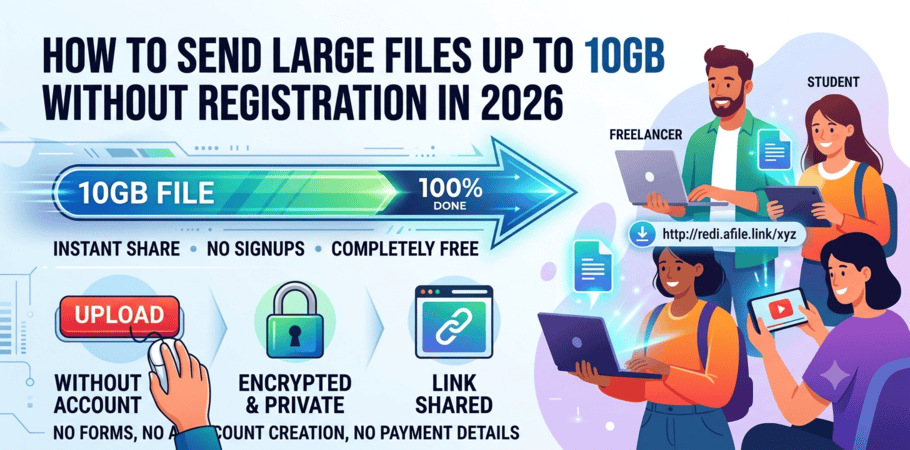

Data security isn't just an optional feature—it’s the foundation of modern file sharing. Whether you're sending confidential financial reports, sharing large video assets, or collaborating on sensitive internal documentation, keeping your files safe from unauthorized access is vital.
File Sharing & Hosting
Rediafile employs a multi-layer security architecture. Every file uploaded to our platform is encrypted in transit using SSL/TLS 1.3 protocols and secured at rest with AES-256 encryption. Beyond server-level protection, Rediafile gives you complete control over every shareable link directly from your dashboard.
⚙️ Core Security Features
FeatureHow It Protects Your DataKey BenefitSSL/TLS EncryptionEncrypts all data in transit using 256-bit SSLEliminates interception risks during uploads/downloadsPassword ProtectionRequires a custom password to access filesKeeps data safe even if a link is accidentally leakedExpiration DatesAutomatically deactivates share links on a set dateLimits long-term exposure of time-sensitive filesPrivate / Team LinksRestricts access to specific accounts or team rostersBlocks external access even if the URL is exposed
🛡️ How Rediafile Security Works
1. SSL/TLS Encryption (In-Transit Protection)
All communication between your browser and Rediafile servers is protected by 256-bit SSL encryption. This shields your files against man-in-the-middle attacks, eavesdropping, and data tampering.
- Certificate Standard: Rediafile uses extended validation (EV) SSL certificates, verified by DigiCert. All subdomains and share links are fully encrypted.
- Universal Protection: Whether uploading a 10 GB video or sharing a 2-page PDF, your data is wrapped in a secure tunnel.
2. Password-Protected Sharing
When generating a share link, you can require a password before file preview or download is granted.
Scooter & Bike Rentals
- Bcrypt Hashing: Rediafile does not store plain-text passwords. All passwords are hashed and salted using industry-standard
bcrypt. - Unique Passwords: Assign unique passwords per file or share link for maximum isolation.
3. Expiration Dates for Shared Links
Set automatic expiration timers on share links to ensure temporary access automatically revokes itself.
- Default: 7 days (customizable in dashboard settings).
- Custom Flexibility: Set any expiry timeframe from 1 hour up to 1 year in advance.
- Instant Renewal: Extend or adjust expiration dates anytime from your dashboard.
4. Private Links & Team-Only Access
Limit file access exclusively to authorized users by adjusting visibility settings in your dashboard:
- Private (Only Me): Accessible only when logged into your primary account.
- Team-Only: Requires users to log in and match verified team IDs (
allowedTeamIds). - Instant Revocation: Block links in one click to render them permanently inactive.
📋 Dashboard Configuration Example (JSON)
Computer Drives & Storage
{ "file": "project_q4_report.pdf", "shareLink": "https://rediafile.com/s/9x2k7m", "security": { "ssl_encrypted": true, "password": "•••••••• (bcrypt hash)", "expiration": "2026-09-15T23:59:59Z", "accessType": "team", "allowedTeamIds": ["team_alpha", "team_beta"], "blocked": false } }
5. Immediate Link Revocation & Audit Logs
If a file is shared by mistake, you can instantly revoke access. Revocation is immediate and irreversible—the link will return a 404 Not Found error even if the URL, password, and expiration parameters are valid.
Every block action is automatically recorded in your Dashboard Audit Trail, giving you full visibility over who revoked access and when.
❓ Frequently Asked Questions (FAQ)
How does Rediafile protect my files during upload and download?
Dictionaries & Encyclopedias
All file transfers are wrapped in 256-bit SSL/TLS 1.3 encryption verified by DigiCert. At rest, files are encrypted using standard AES-256 bits, preventing unauthorized server-side access.
What happens when a share link expires?
Once the set expiration date and time pass, the link automatically deactivates. Anyone attempting to visit the URL will receive a standard 404 error page. You can extend or reactivate the expiration date from your dashboard at any time.
Does Rediafile store my share link passwords?
No. Passwords are never stored as plain text. Rediafile uses bcrypt hashing with individual salts to store and verify link passwords safely.
Can someone download a Private or Team-Only file if they get the direct link?
No. Visitors must be authenticated into a valid Rediafile account. For Team-Only links, the user's account must also match the authorized team roster (allowedTeamIds). Without proper authentication, access is denied.
Can I automate link security for large workflows?
Yes. Enterprise accounts can leverage the Rediafile REST API and webhooks to automatically enforce pre-configured security policies (SSL, default passwords, automated expiration, and team restrictions) upon link creation.
🔒 Rediafile · security-first sharing AES-256 SSL/TLS 1.3 bcrypt
— This guide reflects Rediafile’s security model as of August 2026. All features are available in the dashboard and API.
Ready to Send Large Files?
Start uploading files up to 10GB now without registration, credit cards, or waiting queues.
Upload Your File Now